
User Interface (UI) and User Experience (UX) are two critical aspects of graphic design. UI is concerned with the aesthetic aspects of how a person interacts with a product, such as typography, colors, menus, and more. UX, on the other hand, is more concerned with how the user interacts with the product. The two are clearly linked and sometimes designed together, but significant differences exist. The core user experience must be determined before the details of the user interface design.
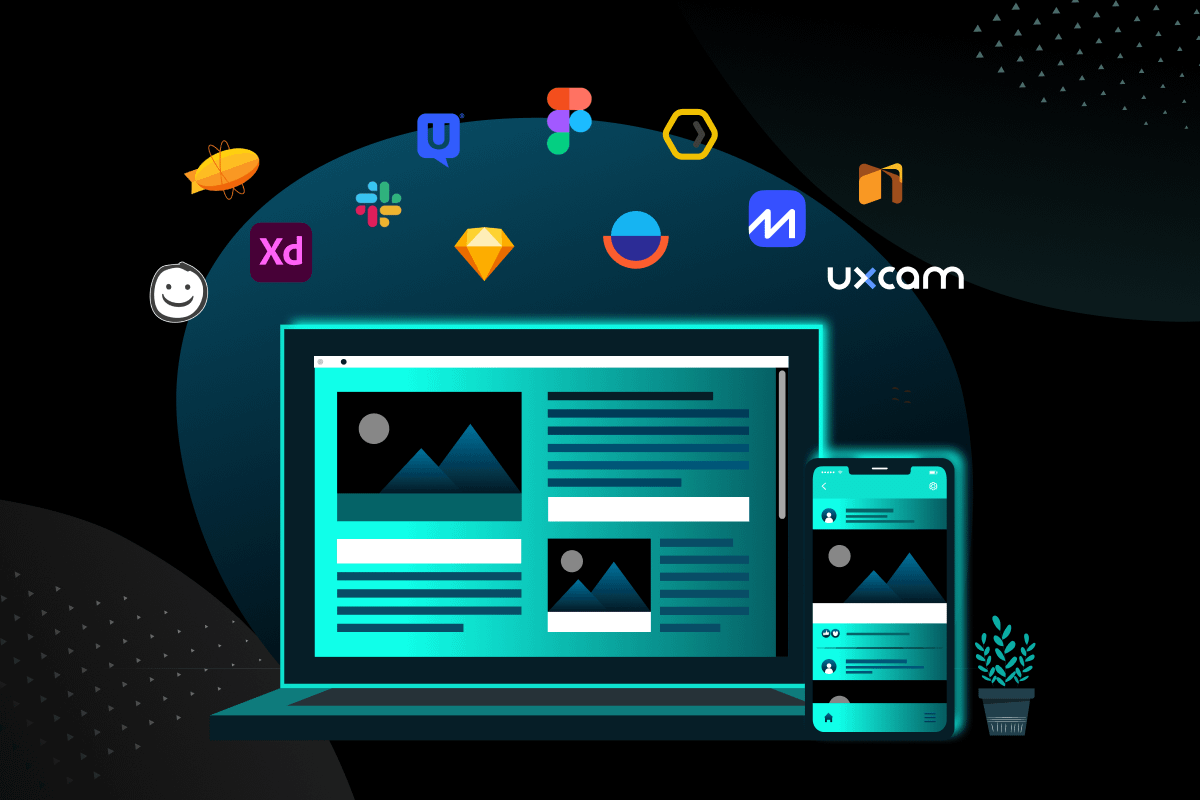
Whether your focus is on UX or UI, or if you’re attempting to combine the two, you’ll need quality tools to complete your tasks. This blog is about different UX design tools that can help you make better user-friendly digital products like websites, and ready-to-market apps.
UX design tools can transform your professional life as a mobile or web product designer. Choose the wrong ones, and your work — and the enjoyment it brings — will suffer. We compiled this UX design tool guide after speaking with some of the top UX designers. It lists the best tools for UX design projects in 2024.
What are UX design tools, and how will they benefit you?
UX Tools help you through the different steps of the UX design process: User research, wireframing, prototyping, and optimization are the “must-dos” of the process.
UX design tools are concerned with the user and how they interact with the content. These tools can help with how the information architecture is structured and how the experience flows. Since this is more conceptual, UX tools assist a UX designer or top UI/UX design agency in painting a larger picture of how content and organization will affect the experience.
We’ll look at some tools for UX design that you might find useful during the design process. Some of these tools have features that work in both UX and UI designs. Today, there are so many UX design tools that it can be hard to figure out which ones will be the most helpful for you.
How to Select the Best UX Design Tool?
We identified some critical factors to consider when selecting the best User Experience (UX) tool:
- Usability: Is the tool simple to use on a daily basis?
- Collaboration: Is it simple for you to share your work with others?
- Usefulness: The tool’s usefulness is determined by how well it solves your problem.
- Integration: Are there any other tools that have been integrated? Does it facilitate the transition between design phases?
If you find a tool that exceeds your expectations in these areas, then be sure to keep it!
Numerous tools are available for all stages of the UX design process, from user research to prototypes and user flows to collaboration. Choosing the right design tool can make your job much easier and more enjoyable. Consider the scope of the project, the size of your team, and the skill level of the team members when deciding on the best tool for you.
To help you choose the best UX design tools for all stages of the UX design process as of the start of 2024, we’ve prepared a list to help you find some of the most useful options for your UX design projects.
Best UX Research Tools for UX Design
1. UXtweak

UXtweak says, “The only UX research platform you need is UXtweak,” and it’s easy to see why. This platform can be used for all your UX research, including card sorting, testing prototypes, making heatmaps, and sending out questionnaires.
Plus, you can record sessions and easily review them to look at what users say whenever you want. The best part is that UXtweak will find respondents for you so you can focus on designing.
Available on: Web
2. Talebook
Talebook is the perfect way to start a UX project. You can do interviews with users, interviews with stakeholders, and analysis of your competitors through this platform. You can then look at the data to find patterns that can be turned into actionable insights. You can also use the feedback you get to make personas and even simple user flows and paper prototypes.
Available on: Web
3. Feedier

Feedier is a UX design tool for getting customer feedback. It is especially useful for user research when redesigning a product. The platform collects information from direct sources, like gamified surveys people want to fill out, and indirect sources, like online reviews.
The data can then be put into user stories and journey maps, which give UX designers more information about users and allow them to improve the user experience as the design process goes on.
The Best Tools for Wireframing and Prototyping in UX design
Beginners often get wireframes and prototypes mixed up. Here’s a quick explanation:
Wireframes are rough sketches of how a digital product will be put together. e in A good wireframe should have as few details as possible. Its purpose is to describe how the product is put together.
Prototypes are detailed models of the final product that are very close to the real thing. They haven’t been written in code yet, but you can click through them and even have users try them out.
1. Sketch
The OG of elemental-based digital designs is none other than Sketch. Sketch has been around for a long time and is one of the most popular UX design tools. Adobe made XD partly to help it get a bigger market share. UX Sketch tools let you edit vectors, so designs are accurate down to the last pixel.
UX Sketch tool is easy to use because it has a clean layout, reusable parts, the ability to make and share libraries, and a wide range of plugins. Sketch’s interface is clean and easy to use, which makes it easy to create visually appealing mock-ups. But it’s hard to work in collaboration, especially since Sketch only works on macOS.
Available on: macOS only.
2. Figma

Figma is a cloud-based UX design tool that top UI/UX design agencies are using more and more because it makes it easy for them to work together. Design teams can work on a project together in real-time or at different times without worrying about versions or losing work. This lets them move quickly from simple wireframes to animated prototypes. In short, the best thing about Figma is that you can edit in real-time with other people.
But what really sets Figma apart is how easy and natural it is to use. This makes it easy to start designing right away. It helps with vector networks, prototyping, and the management of design systems. The tool also has an excellent user interface that lets you add elements, animations, and code to make high-fidelity prototypes. Figma also has a mobile app that can be used to copy prototypes.
Available on: Windows and macOS.
3. Balsamiq

Balsamiq is a low-fidelity wireframing tool that lets you sketch on your computer just like you would on paper. It is an excellent tool for making wireframes with low detail. You can use this UX design tool when you’re just starting to design the pages of your website or app. The hand-drawn style keeps the focus on structure, placement, and content, so you don’t get stuck on other design decisions that shouldn’t be made until later. You can also iterate quickly, which lets you change different parts until you find the best way to design something.
Balsamiq shows elements in a way that looks like they were drawn by hand or like a cartoon. This makes the design less complicated and makes you pay attention to where things are placed. You won’t “accidentally” be able to make a full-fledged mock-up.
Available on: Web (cloud), Windows, and macOS.
4. Adobe XD

Once upon a time, UX designers had to make Adobe tools like Photoshop and InDesign that weren’t made for UX design work for them. Today, we have Adobe XD, a design tool made just for UX that lets designers make interactive prototypes and wireframes with a high level of detail. Adobe’s best UX tool is XD. In the last few years, we’ve seen it evolve a lot. Now, it has a good collaboration feature for working with others, letting you share documents and work with everyone.
XD is a good prototyping tool that lets you make elements and then use those elements to make animated transitions. Currently, one big downside is that you and your coworkers can’t work on the same document at the same time. However, this tool is a great way to see how a product looks and feels without coding anything. Besides making interactions and adding animations, there are also voice-enabled features for people making voice interfaces. UX teams can work together in real-time and share links with clients and other stakeholders for valuable feedback.
Available on: Windows and macOS.
Best Tools for User Experience with Flowcharts
As a UX designer, one of your main jobs is to map out and keep track of your product flowchart, which is also called user flow. So, the tool you use for this is very important. You can do this with any of the UX design tools listed below.
1. UXCam Screen Flow

UXCam can record and look at user screen flows. You might think people use your app a certain way, but what are they actually doing? The Screen Flow feature of UXCam makes it easy to find out.
Available on: Web, Windows, and macOS, only for mobile apps.
2. Overflow

Overflow integrates Adobe XD, Figma, and Sketch, so you can use your designs to make user flows. It lets you change designs made with these tools, add skins to devices, and rearrange them however you want. Then you can link and annotate them.
You can show the customer journey through different product parts by connecting screens with arrows, adding labels, and even adding decision trees to show where users will make choices. You can also add skins that shorten long screens for a consistent look. This helps clients and other stakeholders see what each screen would look like on a device.
Available on: Windows and Mac, and Web.
3. FlowMapp

FlowMapp is known for being an easy-to-use platform for making interactive site maps and flowcharts that are simple but effective. The library of icons and shapes and the ability to add images give you options and make it easy to change things quickly. Also, the tool’s collaborative features enable everyone on the UX team to easily share and review these flows, which makes it easier to work together and understand the user journey.
FlowMapp lets you map user flows in a way that looks like a wireframe. With it, you can use pre-existing shapes, lines, and icons to make simple diagrams. It lets teams plan and map out the user journey visually, from the first point of entry to the final conversion goals and helps find any potential pain points or places where the user experience could be better. One of the best things about Flowmapp is that it lets you make and organize user flows, which are pictures of the steps a user takes to finish a task or reach a goal on a website or app.
UX Design Tools for Collaborative Projects
1. Zeplin

Zeplin is a tool for handoffs that works for both UX designers and people who are not designers. Designers use tools like Adobe XD, Figma, Sketch, or Photoshop to publish their final designs, so developers don’t have to look in multiple places for final designs. The whole team stays on the same page with Zeplin, saving everyone time.
Available on: Web.
2. Slack

Slack is a favorite tool for working together as a team on UX design. Slack is not really a UX design tool, but it is a way for UX teams to talk to each other no matter where they are. This is especially helpful if your team works from home, but it’s also great if a top UI/UX design agency has an in-office team because it ensures that urgent questions can be answered through the app, cutting down on wait time and keeping everyone up to date.
Slack also lets you create channels for more focused conversations. It can be used to share files and works with apps like Google Drive, Zoom, and Dropbox.
The Best UX Tools for Testing Usability
1. UserTesting

UserTesting didn’t come up with a very creative name for their company, but their platform is a great way to find the right people to test new designs on. You can talk to people who are using your work while they are using it.
UserTesting, as the name suggests, is a UX tool for testing how the user experience works. It is especially useful for testing prototypes. With the ability to test on any platform, including mobile phones and tablets, and record how respondents use the product, you can learn where users might have problems. UserTesting works quickly so that you can get feedback in hours rather than days.
Available on: Web, Windows, and macOS.
2. UXCam App Analytics

UXCam App Analytics is the best too for collecting qualitative data about mobile apps. UXCam is an analytics tool for mobile apps that lets you learn a lot about how people use them. UXCam can help UX designers in many ways, such as:
Session replays: UX designers can use UXCam to record and analyze user screen flows, which is also called a “session replay.” These replays give a clear and detailed picture of how users move around the app or website and where they might be confused or having trouble.
Heatmaps: UXCam offers heatmaps, which are pictures that show how people use the interface. Heatmaps can show UX designers which parts of an interface get the most attention and which parts are ignored.
Behavior analytics: UXCam lets UX designers watch and analyze how people use their mobile app, which gives them valuable information about how people use the interface. This helps designers figure out where people are confused or having trouble and make changes to the look and function of the website or app.
Collaboration: UXCam lets multiple users work together on the same sessions simultaneously. This makes it easy for UX designers to work together and get feedback from their team members.
Even if someone doesn’t have UXCam, sharing sessions with them is easy. The advanced filter system makes finding helpful sessions in a flash easy. Integration with UXCam takes less than five minutes and only needs two lines of code.
Keep in mind that you won’t be able to do interviews on UXCam because it is designed to collect and watch real-use data. Instead of testing how well it works, you can see how good it is.
3. Applause

Applause is another platform to find people to take part in usability testing. As a premium player on the market, it gives you a qualified UX expert to help you with your usability analysis and research, and takes a hands-on approach.
Final Thoughts
As we’ve seen, numerous tools are available in the market to help UX designers. Some are primarily concerned with the design, while others are concerned with customer journey maps, wireframes, and other aspects. Some even market themselves as all-in-one designer toolkits. Whatever stage of the design process interests you, you will find quality UX design tools to make your life easier and improve collaboration between you and your team members. A top UI/UX design agency consistently leverages these tools’ features for UX design to create masterpieces for global clients and MNCs.
Check out more of our UX design articles on our Wilson Wings Blog page or learn more about our full UX Design services if needed.